How to Unlock Bootloader on Motorola C550
Warnings — Read Before You Begin
- Data wipe: Unlocking the bootloader will factory reset your device and erase all personal data. Back up everything first.
- Warranty void: Unlocking may permanently void your manufacturer warranty.
- Brick risk: Incorrect procedures or interruptions during the process can render your device unusable.
- Security: An unlocked bootloader weakens the device's verified boot chain, making it more vulnerable to tampering.
- OTA updates: Some devices will no longer receive official over-the-air updates after unlocking.
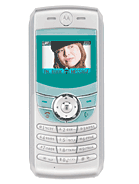
Required Tools
- Motorola Handset USB Drivers for Windows
- Motorola RSD Lite / Flash & Backup Tool
- Mini-USB (5-Pin) to USB-A Data Cable
Steps
Step 1: Backup Phonebook Contacts & Charge Battery
Unlocking or flashing the bootloader on Motorola C550 will erase internal memory.
1. Copy all phonebook contacts from phone memory to your SIM card.
2. Ensure the battery is fully charged (at least 80%) to prevent power loss during flash mode.Step 2: Install Motorola USB Handset Drivers on PC
Download and install official Motorola Handset USB Drivers on your Windows PC. This allows your computer to communicate with the phone's Flash Neptune LTE interface.
Step 3: Boot Motorola C550 into Flash / Bootloader Mode
1. Turn off your Motorola C550 completely.
2. Press and hold the '*' (Star) and '#' (Pound) keys together.
3. While holding both keys, press the Power button.
4. The screen will illuminate in Flash Mode displaying bootloader version details (e.g., 'Bootloader OK to Program').Step 4: Connect Device to PC via Mini-USB Cable
1. Connect your Motorola C550 to your PC using a 5-pin Mini-USB data cable.
2. Open RSD Lite or Motorola Flash & Backup utility.
3. Confirm that the tool detects the device as 'Connected' in Flash/Bootloader mode.Step 5: Flash Unlocked Bootloader / Patch Security Flex
1. In your flashing software, load the unlocked bootloader or non-restricted firmware flex file for Motorola C550.
2. Click 'Start' or 'Flash' to begin writing the unlocked bootloader.
3. Do not disconnect the cable during the flashing process.Step 6: Completion & Reboot Device
Once flashing reaches 100% and displays 'PASS / Finished':
1. Disconnect the USB cable.
2. Remove and reinsert the battery.
3. Power on your Motorola C550 — your bootloader is now unlocked.