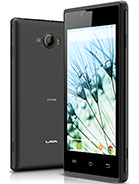
Release Date
2014
OS
Android 4.4.2 (KitKat)
OS Version
Android 4.4.2 (KitKat)
RAM
—
Storage
—
Warnings — Read Before Flashing
- Data wipe: Flashing stock ROM will erase all personal data. Back up everything first.
- Correct model: Use only the ROM file that exactly matches your device model number — wrong firmware can brick your device.
- Battery: Ensure at least 50% charge before starting the flash process.
- Do not interrupt: Never disconnect your device or close the flash tool while flashing is in progress.
- Warranty: Flashing unofficial or modified firmware may void your manufacturer warranty.
Disclaimer: Firmware files listed here are sourced from official manufacturer releases and community contributions.
WhatMyDevice does not host ROM files and is not responsible for any damage, data loss, or device malfunction resulting from flashing.
Always verify the file matches your exact device model before proceeding.
Available Firmware Files
| File Name | Size | Download |
|---|---|---|
|
Lava_Iris_250_DR018_03P_CFZZ_32p4_W1_WVGA_R22990_20140917.zip
|
424 MB | |
|
Lava_Iris_250_DR018_03P_CFZZ_32p4_W1_WVGA_R27564_20141223.zip
|
426 MB | |
|
Lava_Iris_250_20140812.zip
|
294 MB | |
|
Lava_Iris_250_2015-05-06_192606.zip
|
444 MB |
